 Synara
Core concepts
Understand Synara's projects, tasks, environments, provider sessions, turns, and review workflow.
Synara becomes much easier to use once its ownership model is clear: each task owns one body of work—its conversation, provider session, working environment, tool activity, and Git changes.
The hierarchy
| Concept | Meaning |
|---|---|
| Workspace | The complete Synara application and the projects available in it |
| Project | A local folder, preferably a Git repository |
| Task | One durable unit of work inside a project |
| Turn | One user instruction followed by the provider's work and response |
| Provider session | The coding-agent session attached to the task |
| Environment | The local checkout or isolated Git worktree where the task operates |
A project can contain many tasks. Each task has its own transcript and provider lifecycle. Tasks using separate worktrees also have separate working directories and branches.
The main surfaces
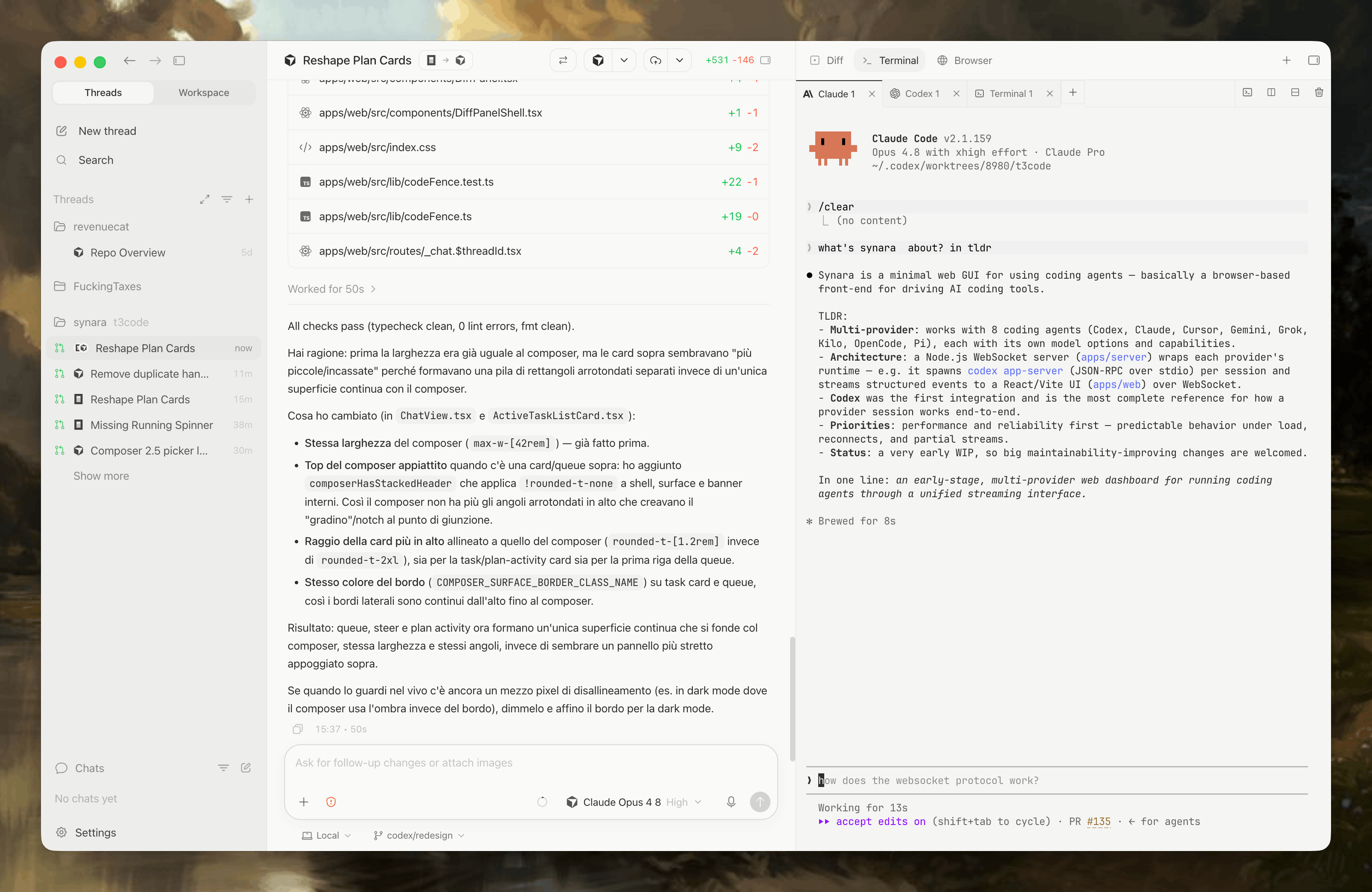
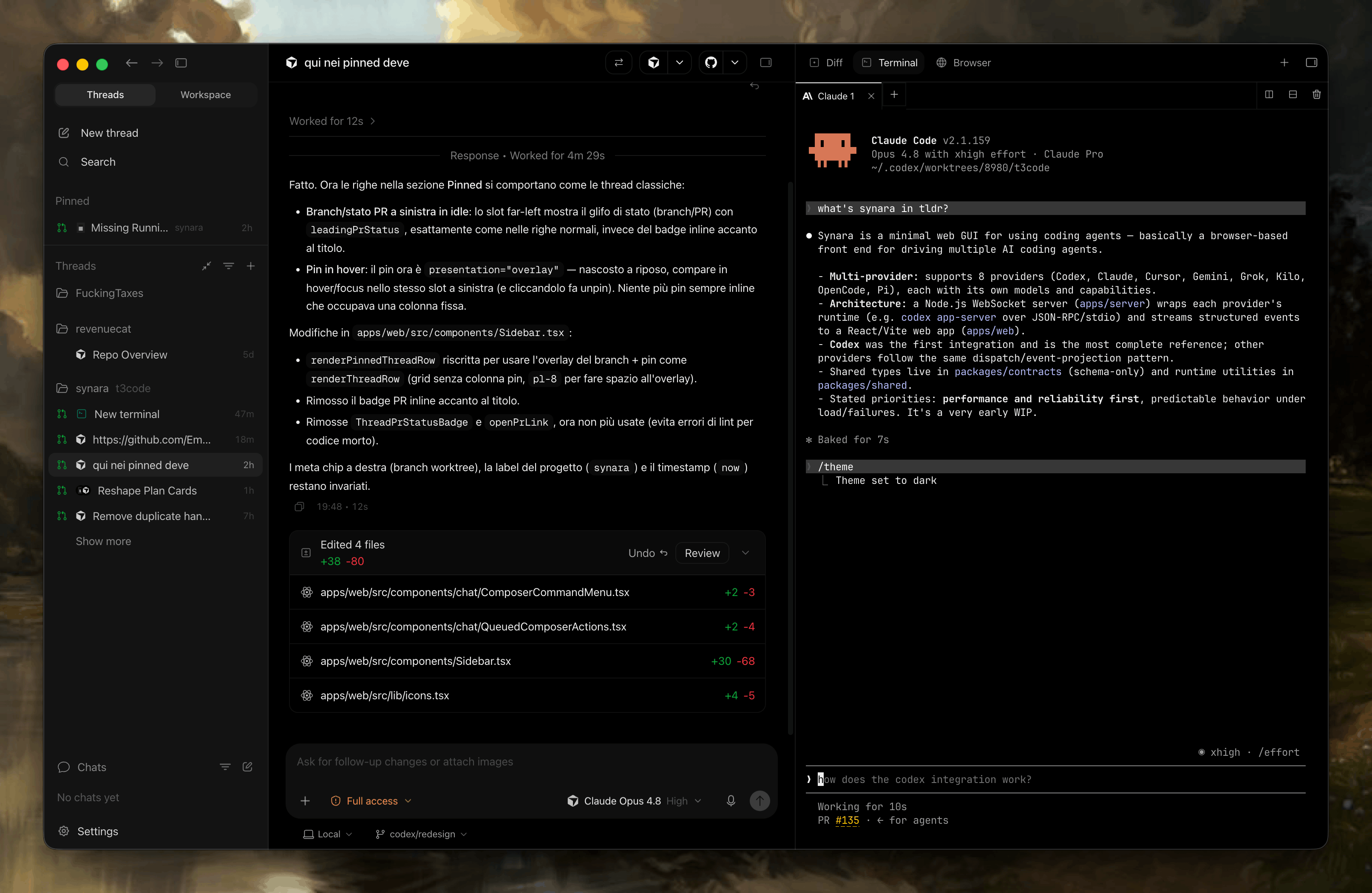
- Sidebar — projects, spaces, tasks, and activity requiring attention
- Conversation — user messages, agent responses, plans, tools, approvals, and subagent activity
- Composer — objectives, attachments, provider selection, model selection, and task controls
- Terminal — a real shell opened in the task's working directory
- Browser — a page surface for previews, inspection, and supported agent interaction
- Diff and Git views — the changes produced in the environment and the path toward committing or opening a PR
You do not need every surface open at once. Bring each one in when it answers a question: what is running, what changed, whether the UI works, or whether the task is safe to ship.
Projects
A project is the folder Synara works with.
Git repositories unlock the complete delivery workflow:
- Branches
- Worktrees
- Diffs
- Commits
- Pushes
- Pull requests
Non-Git folders can still be useful for simpler work, but they do not provide the same isolation and review guarantees.
Tasks and turns
A task is the durable container for one objective.
A turn is one cycle inside that task:
- You send an instruction.
- The provider plans or acts.
- Tools and approvals appear in the transcript.
- The provider completes, fails, or is interrupted.
- You review the result and decide what happens next.
A long task can contain many turns. Keep follow-ups connected to the same objective; create another task when the work needs a different owner, branch, or review boundary.
Environments
A task runs in one of two common environments.
| Environment | Use it when |
|---|---|
| Local checkout | One task owns the repository and you intentionally want it to edit the currently checked-out working tree |
| Git worktree | Another task may touch the repository, you want an isolated branch, or you want to discard an experiment without disturbing the main checkout |
A worktree is another working directory attached to the same Git repository. It shares repository history while keeping files and branch state separate.
Read Git worktrees before starting several tasks in the same repository.
Providers, models, and sessions
A provider is the coding-agent runtime Synara operates, such as Claude Code, Codex, OpenCode, Cursor, or another supported integration.
The provider supplies:
- Its authentication
- Its available models
- Its own tools and permissions
- Its provider-specific session behavior
Synara supplies the shared workspace around it:
- Durable tasks
- Conversation and activity presentation
- Terminals, browser, files, and diffs
- Git environments
- Approvals and user input
- Handoffs and orchestration
Each task owns a provider session. Available models and controls can differ because Synara discovers capabilities from the installed runtime and account.
Handoffs
A provider handoff lets another supported provider continue the same task and working environment using the context Synara passes to it.
Use a handoff when:
- Another provider is better suited to the next phase
- You want an independent implementation or review
- The current provider is unavailable or rate-limited
- You want to continue without manually rebuilding the task context
A handoff does not remove the need to inspect the diff or verify the new provider's work.
Git, checkpoints, and review
Synara treats Git as the durable review and recovery layer.
The intended loop is:
- Begin from a known state.
- Let the task change the environment.
- Inspect the diff.
- Run verification.
- Commit only the intended changes.
- Push and open a pull request when appropriate.
Synara's checkpoint and revert controls can help recover task work, but committed Git history remains the strongest boundary for important changes.
Parallel work
Parallelism is useful only when ownership is clear.
Good parallel tasks:
- Touch independent files or subsystems
- Use separate worktrees
- Have explicit objectives
- Produce independently reviewable results
Risky parallel tasks:
- Modify the same files
- Share one local checkout
- Depend on unstated assumptions from another task
- All attempt to "finish the feature" without distinct ownership
Read Parallel agents before scaling beyond one task.
Useful shortcuts
mod means Command on macOS and Ctrl on Windows or Linux.
mod+n— create a taskmod+j— toggle the terminal drawermod+d— toggle the diff viewmod+shift+b— toggle the browsermod+\— split the current view
Check the keyboard reference for the complete current list.
A task is complete only after you understand and verify its result—not when the provider reports that it is finished.